
Amazon Music: Songs & Podcasts
Amazon Mobile LLCMusic & Audio
4.5501.77K Reviews
- Version
- Varies With Device
- Installs
- 100.00M
- Age Rating
- Teen
Screenshots
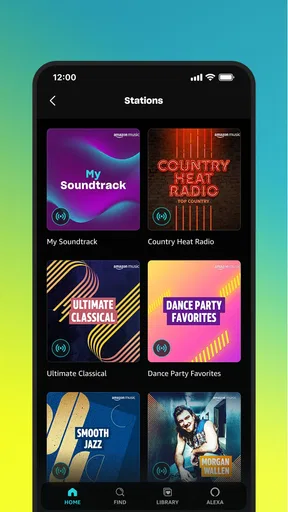
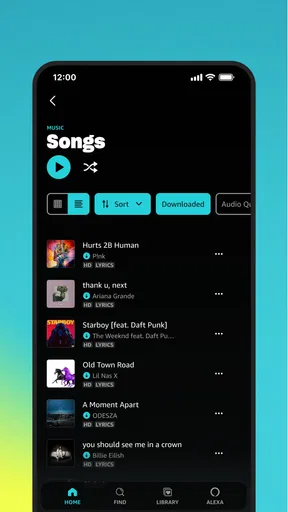
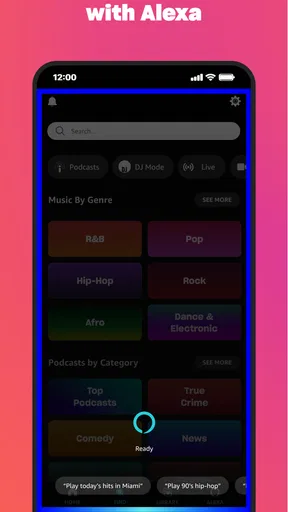
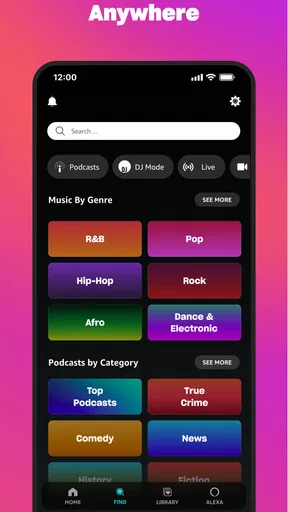
Our Review of Amazon Music: Songs & Podcasts
 Analysis by Appyee
I look at Amazon Music as a convenient listening hub rather than a service that will automatically suit every music fan. It puts songs and podcasts in one app, which is useful when I want to move from an album to a spoken show without switching services. Amazon Mobile LLC develops it, and its reach is substantial: it has passed 100 million installs, with an average rating of 3.7 from around 3.3 million ratings. Those figures suggest a widely used app, not a guarantee that its interface or catalog will fit your habits.
What the app is like to use now
At its best, the app makes casual listening straightforward. I can search for a familiar artist, start a playlist for a particular mood, or explore podcasts from the same listening environment. That combination is its clearest everyday advantage: music and spoken audio are close at hand, rather than divided across separate apps. It is a Music & Audio app, rated for Teen audiences, and it is free to install, with in-app purchases listed at $11.99 per item.
The experience is most appealing if you already use Amazon services or want a single place to browse different kinds of audio. If you mainly listen to a few favorite albums, the app can work as a convenient player and discovery tool. If you are particular about a niche genre, carefully curated recommendations, or a very simple interface, I would compare it with other music services before making it your daily home. A large catalog matters less when the app’s suggestions and navigation do not match how you listen.
How I would fit it into a normal day
On a weekday, I might start with a playlist while making breakfast, switch to a podcast during a walk, then search for a specific track on the way home. Keeping those tasks together is more useful than it sounds: I do not need to remember which app holds the show I meant to continue. The practical test is whether the home screen helps me resume or find something quickly, rather than sending me through repeated browsing. I would save favorite albums, playlists, and shows as I discover them so the library becomes a reliable shortcut instead of a pile of one-off searches.
For travel or unreliable reception, downloaded listening can be valuable, but I would prepare before leaving rather than assume every item is ready offline. Check that a download has completed while you still have a connection, and make sure you have selected the episodes or music you actually plan to hear. This small habit avoids the familiar frustration of reaching a train or flight and discovering that a playlist is still streaming. Offline access is useful as a workflow, not a substitute for planning.
Getting Started
First things first, downloading Amazon Music: Songs & Podcasts is a breeze. Available on both Android and iOS, it’s just a quick search and tap away. Once installed, you'll need an Amazon account to dive in. If you're already an Amazon Prime member, you're in luck because you'll have access to a good chunk of content without any extra cost.
Interface & Usability
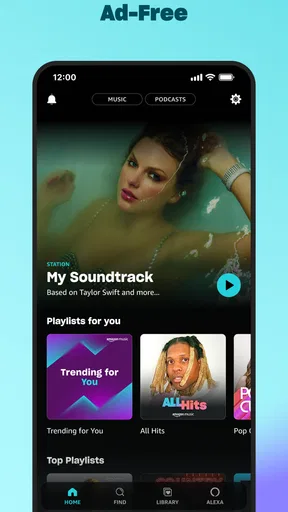
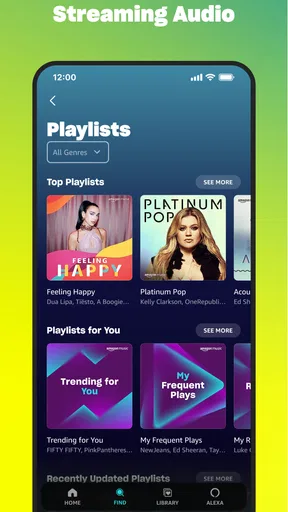
The interface is sleek and user-friendly. It's like the app just wants to make your life easier. The main screen gives you quick access to your library, playlists, and the explore tab. Navigating through the app feels intuitive, and everything is just a tap away. If you're someone who loves customization, the app allows you to create your own playlists or follow those made by others.
There is a trade-off between having lots of choices and finding the right one quickly. When I try a new service, I start by making a couple of playlists for distinct purposes—one for concentrated work, another for background listening—rather than putting every saved track into a single catch-all list. It gives the library some shape and makes it easier to decide what to play when I have only a minute. Following other people’s playlists can also be a quicker way to explore than searching track by track, especially when I want a ready-made mood rather than a specific album.
Content Galore
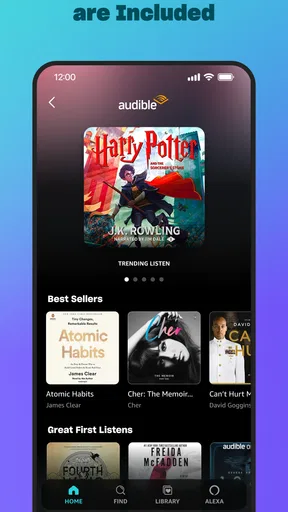
Now, let’s talk about the heart of the app: the content. You get millions of songs, a wide array of podcasts, and even live streams from your favorite artists. The music library is vast, covering everything from the latest hits to golden oldies. The sound quality is top-notch, especially if you’re using high-quality headphones or speakers.
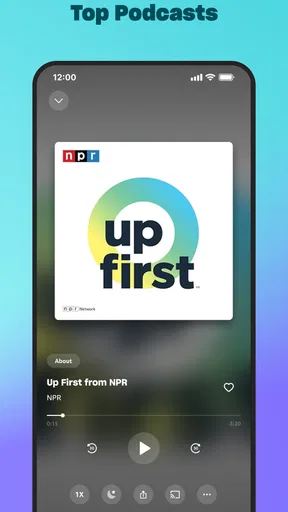
For listeners who move between music and podcasts, the breadth is more important than any single discovery feature. I would use search when I know exactly what I want and browse when I am open to surprises; those are different jobs, and expecting recommendations to replace deliberate searching can be disappointing. A podcast listener should also consider how they like to follow a series: if keeping a long queue of episodes organized is central to their routine, they should test that workflow early rather than judging the app solely by its music selection.
Compared with a dedicated podcast app, a combined music service is convenient but may not be the best fit for someone who relies on detailed episode-management habits. Compared with a music-first alternative, the draw here is having spoken audio alongside songs and playlists, not necessarily a radically different way to listen. I would choose based on what I use every day: if the same app can handle most of my listening without friction, that convenience counts; if I keep needing another app for a core task, the all-in-one approach loses its appeal.
Podcast discovery also works best when I treat recommendations as prompts, not as a complete map of what is available. A suggestion can help me find a new show, but a known host or topic is often easier to locate through a direct search. I would sample an episode before committing a show to my regular rotation, then save it if it earns a place. That keeps the library intentional and makes returning to familiar listening faster.
Features That Stand Out
One feature that caught my attention is the offline mode. You can download your favorite tracks and podcasts to listen without using data. This is a lifesaver when you’re on a long flight or in an area with spotty service.
Offline listening is especially handy for predictable routines: a commute, a gym session, or a trip where mobile reception may drop. I would download a mix of familiar tracks and a podcast episode before leaving, rather than relying on one long playlist to cover every mood. It also helps to think about what you will actually finish; downloading more than you need can make preparation less tidy. For anyone who listens almost entirely on a stable home connection, this feature may matter less than fast search and a library that is easy to revisit.
Another cool feature is the Alexa integration. If you’ve got an Alexa-enabled device, you can easily control your music hands-free. Just ask Alexa to play your favorite song or podcast, and boom, you’re good to go.
Hands-free control is most useful when reaching for a phone would interrupt what I am doing, such as cooking or tidying up. It is less compelling if I mainly listen with headphones in public or prefer to choose each track manually. I would treat voice control as a convenient extra rather than the reason to install the app, and it naturally matters most to people who already use an Alexa-enabled device.
Room for Improvement?
While the app has a lot going for it, there are a couple of areas that could use some polishing. The free version does have ads, which might be a bit annoying if you’re in the zone and suddenly interrupted. Also, some users might find the app’s layout a bit overwhelming at first, but it becomes more intuitive the more you use it.
That first impression is worth taking seriously. An app can offer plenty to explore and still feel busy when all I want is to press play. I would give myself a little time to arrange the library and learn where the things I use most are, but I would not keep forcing the fit if routine tasks remain awkward. Someone who values a stripped-back player or uninterrupted listening above a broad mix of content may be happier with a different option in the category.
The free starting point makes it easy to try, but it is sensible to check what listening experience and access level suit you before spending money. In-app purchases are listed at $11.99 per item, so I would review any purchase prompt carefully and decide whether its value matches my own use rather than assuming every listener needs an upgrade. The key question is practical: do the music, podcasts, and controls you actually use justify keeping this as your regular app?
What may matter as you keep using it
For existing users, the most useful way to judge the app is by the parts of the routine that remain dependable: finding a saved playlist, returning to a podcast, and getting audio ready before going offline. I would pay attention to how the app handles my personal mix of listening rather than chasing a particular feature simply because it sounds impressive. The available product details do not establish a specific recent version or release change, so I would not assume that a particular interface or behavior represents a newly introduced update.
That distinction matters when deciding whether to change habits. If the app already gets you from search to playback with little effort, there may be no reason to rebuild your listening routine elsewhere. If you are a new user, start with a few searches and a short playlist, then try a podcast and offline preparation. Those simple checks reveal more about fit than browsing every screen on the first day.
Who should give it a try
I would recommend trying Amazon Music if you want music and podcasts together, appreciate being able to build or follow playlists, or already have a reason to use Amazon’s ecosystem. It can be a sensible everyday choice for someone who listens in varied settings and values one app for several audio habits. It is also easy to test before deciding whether it belongs in your routine, since the app is free to install.
I would be more cautious if you want a minimal music player, depend on a specialized podcast workflow, or are unwilling to tolerate interruptions in a free listening experience. In those cases, a service built around your strongest priority may be a better match. My recommendation is to try it with a real week of listening—commute, chores, and downtime—not just a quick browse. The best choice is the one that makes those ordinary moments easier.
Final Thoughts
All in all, Amazon Music: Songs & Podcasts is a solid choice for anyone looking to stream music and podcasts. Its vast library, high-quality sound, and user-friendly interface make it a contender in the streaming world. Whether you’re lounging at home or on the go, this app has got you covered. If you haven’t given it a shot yet, I’d say it’s time to hit that download button and see for yourself!
Privacy and Permissions
See what permissions an app requests and how it handles your data.
- Identity
- find accounts on the device, add or remove accounts
- Contacts
- find accounts on the device, read your contacts
- Location
- approximate location (network-based), precise location (GPS and network-based)
- Phone
- read phone status and identity
- Photos/Media/Files
- read the contents of your USB storage, modify or delete the contents of your USB storage
- Storage
- read the contents of your USB storage, modify or delete the contents of your USB storage
- Camera
- take pictures and videos
- Microphone
- record audio
- Wi-Fi connection information
- view Wi-Fi connections
- Device ID & call information
- read phone status and identity
- Other
- view network connections, create accounts and set passwords, pair with Bluetooth devices, access Bluetooth settings, send sticky broadcast, change network connectivity, allow Wi-Fi Multicast reception, connect and disconnect from Wi-Fi, full network access, run at startup, reorder running apps, use accounts on the device, control vibration, prevent device from sleeping, Google Play license check
Verdict
Strengths of Amazon Music: Songs & Podcasts
- Extensive music and podcast library.
- Ad-free listening with premium.
- Offline downloads for on-the-go.
- High-quality audio streaming.
- Seamless Alexa integration.
Limitations of Amazon Music: Songs & Podcasts
- Limited features in free version.
- Requires Amazon account for full use.
- User interface can feel cluttered.
- Occasional app performance issues.
- Some content region-restricted.
Other Releases by Amazon Mobile LLC
View All
MX Player
Video Players & Editors4.2

Amazon Shopping
Shopping4.4

Prime Video
Entertainment4.7

Prime Video
Entertainment3.1
Similar Picks in This Category
View All
YouTube Music
Google LLC4.4

Samsung Music
Samsung Electronics Co., Ltd.3.8

Spotify: Music and Podcasts
Spotify AB4.3

JioSaavn - Music & Podcasts
Saavn Media Limited4.3

Lark Player:Music Player & MP3
Lark Player Studio - Music, MP3 & Video Player4.6

StarMaker: Sing Karaoke Songs
SKYWORK AI PTE. LTD.4.3
You May Also Like
View All

Frequently Asked Questions
What kind of content is available on Amazon Music?
Amazon Music offers a vast library of songs, albums, and podcasts across various genres. Users can access millions of tracks, curated playlists, and personalized recommendations. Additionally, the app features exclusive content and podcasts, catering to diverse musical tastes and preferences.
Do I need an Amazon Prime membership to use Amazon Music?
While Amazon Music offers a free version with limited features, having an Amazon Prime membership enhances the experience. Prime members can access Amazon Music Prime, which provides ad-free streaming and a larger music library. For the full Amazon Music Unlimited experience, a separate subscription is required.
Can I download songs for offline listening on Amazon Music?
Yes, Amazon Music allows users to download songs for offline listening. This feature is available to Amazon Music Unlimited and Prime members, enabling them to enjoy their favorite tracks and playlists without an internet connection, making it convenient for travel or areas with poor connectivity.
How does Amazon Music compare to other streaming services?
Amazon Music competes well with other services by offering a comprehensive range of features, including high-quality audio, Alexa integration, and exclusive content. Its competitive pricing and integration with the Amazon ecosystem make it a strong contender, especially for existing Amazon Prime members.
Is Amazon Music compatible with smart devices and platforms?
Amazon Music is highly compatible with a variety of devices and platforms. It seamlessly integrates with Alexa-enabled devices, allowing voice-controlled playback. Additionally, the app is available on Android, iOS, desktop, and web platforms, ensuring accessibility across different user environments.
